 Online Arbitrage Tool
Why Online Arbitrage Tool
The Problems
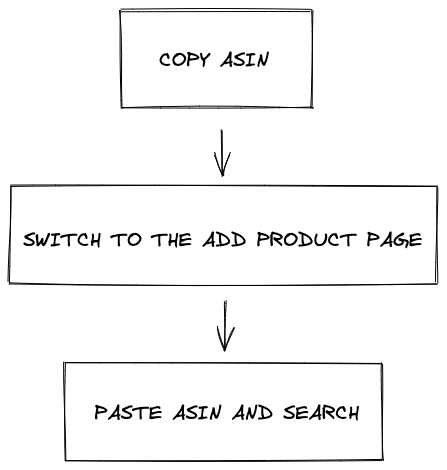
Amazon FBA sellers to determine whether a product can be online arbitrage sales, you need to copy the ASIN, search by adding the product page to determine whether this product is eligible to sell, the steps are more cumbersome and inefficient, through the Online Arbitrage Tool Chrome plug-in, without frequent switching between pages, can automatically and quickly check whether the product can be online arbitrage sales, greatly improving efficiency.
Cumbersome Steps To Check
When a new seller starts to Amazon FBA Online Arbitrage, because there are few products with selling permission, the steps of copying, pasting and searching do not feel too time-consuming.
Inefficient Product Selection
As more and more products are available for sale, and you become more familiar with online arbitrage sales, you will gradually find that the above methods are very inefficient and time-consuming, which not only require you to switch between pages frequently, but also lead to more and more tabs in your browser, resulting in browser memory shortage, crashes and other problems.

Problem Solving
The Online Arbitrage Tool Chrome plugin is designed to solve these problems by using the browser plug-in capabilities: automatically check whether a product is eligible for online arbitrage sales, automatically check whether a product is dangerous good, quickly determine whether to continue analyzing this product or close the page for the next product, improve the speed of product selection, save more time to analyze more products, and let you The online arbitrage sales are one step faster.
How Is Online Arbitrage Tool Different From X?
High speed, high performance, simple interface, high security and protection of user privacy.
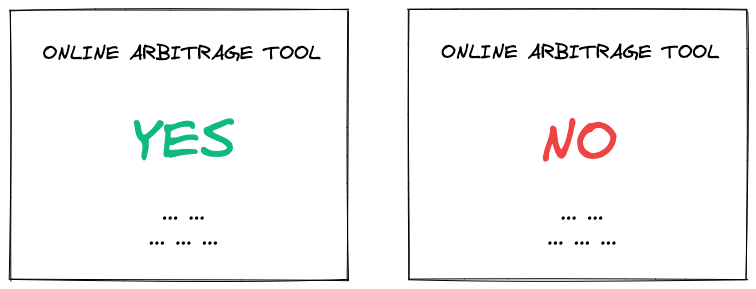
You can check out the Comparisons section for more details on how Online Arbitrage Tool differs from other similar tools.